Showing posts with label Canon 5D Mark III Photo. Show all posts

07 May, 2012

Next generation cinema camera battle – who will win?

Next generation cinema camera battle – who will win?
Tuesday, 24 April, 2012 on EOShd
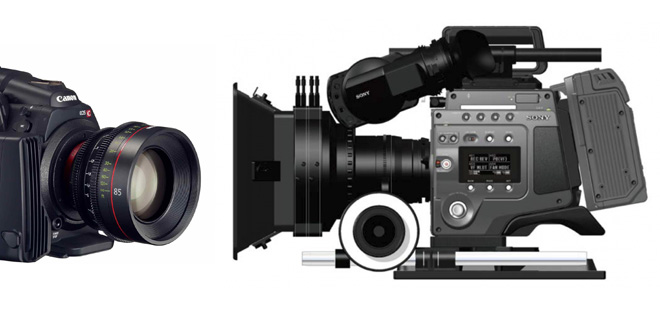
C500 vs Sony F65

In the last few weeks the already large number of options for filmmakers have been shaken up. Current cameras all seem to fall into different niches.

There are the depth of field specialists – 5D Mark III and D800 with full frame sensors. There are the resolution and raw codec specialists the Blackmagic Design Cinema Camera and Red Scarlet. There’s the slow mo specialist the Sony FS700 and my personal favourite all-rounders the GH2 and FS100 which just keep getting better with firmware updates (the FS100 is now a world cam with latest one from Sony).

What happens next will be a fascinating fight. EOSHD rounds up the contenders.

Canon

Should it exist, the C100 is going to have to be cheap. Putting a stripped down C300 out there for $8k isn’t going to work. Putting it between the FS700 and C300 won’t do either, because frankly that isn’t possible – the FS700 is already better specced than the C300 for half the price. It is 4K ready so more future proof, and does 240fps 1080p whilst the C500 will come in at a LOT more – $30,000 in fact. I think the C500 is going to be great for Hollywood and future proof broadcast acquisition in 4K – a viable alternative to the Alexa but there is an awfully big hole under $30,000.

The 4K DSLR is basically a 1D X stills camera and lacks fundamental features like 25p, robust ports like HD-SDI and XLR, or any usability concessions like peaking. A serious mistake in my view and a very very cynical product. It is also said to be disappointing in terms of the image (not true 4K and only a 8bit codec). The 1080p mode is multi-region but said to be no better in image quality than the 5D Mark III or 1D X, which is just crazy! Everyone is in love with full frame and the DSLR form factor for video. Canon should be providing a proper 2K raw DSLR for $6,000 with an electronic ND filter and XLR in a battery grip, scrap the wobbly HDMI port and with a product like this Canon will clean up. There’s simply no excuse not to sacrifice some margin and give us a proper next generation camera, otherwise they risk losing their accidentally won foothold completely.
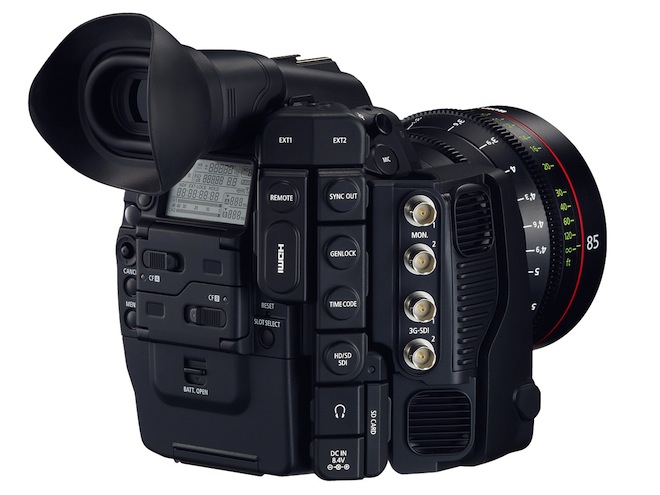
Canon C500

Blackmagic Design
I have to admit that when news of this camera came out I had a vision of the future as clear as day, and I’ll be very surprised if the BMD Camera does not push virtually everyone else to compete, like the iPhone did in the mobile market. Yes there will be a slew of imitators BUT the great strength of a post production company like Blackmagic is their expertise in software and recorder hardware. Their Cinema Camera raw recorder is fully integrated and proven hardware. DaVinci is highly desirable as a professional post production suite. Their in-camera firmware and touch screen interface is also leaps and bounds ahead of Japanese software design.
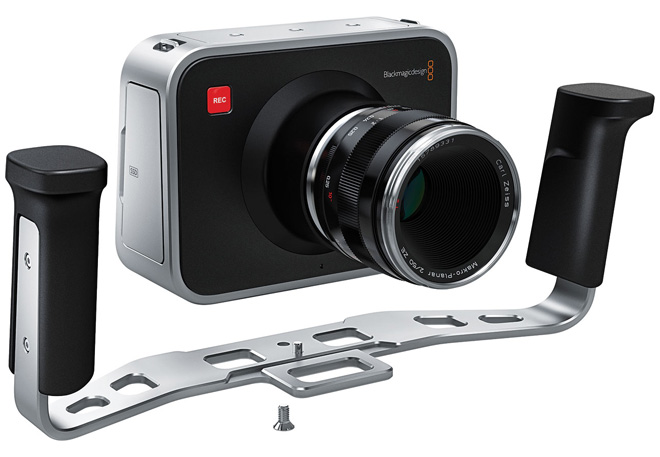
Blackmagic Design Cinema Camera
Above: 12bit RAW at 2.5K resolution for $3000 – the sensation of NAB 2012
Red
Like Canon, Red seem to be highly focussed on providing for the very high end with industry tools and not so much the lower end. The Scarlet’s ‘brain’ at $10,000 is pretty reasonable. The rest of the kit to get it operational is extremely expensive. I am not paying $3200 for an SSD, I don’t care if it is used by Fincher and Jackson, that price is out of my imagination. Red’s chief competition at the moment is Arri, Sony and Canon. Panasonic have their 4K Vari-Cam coming but until then aren’t in the digital cinema game. Arri have carved up the lions share of both film and TV. Red have a great run with many high profile shoots but their smaller support network causes doubts in the minds of many producers especially in Europe. Sony’s F65 will provide stiff competition at the very top end – though the Epic has the edge on chassis size.
Red like to portray the image of a lone gun-man fighting against the corporate might of Japan. Indeed the big question here is whether Red are corporate enough to fight Arri & Sony in the digital cinema industry or whether they are too much a loose cannon and too small to compete with large multinationals, with their wide support network, trusted brand names, huge engineering resources and strength in depth. Red do well to win high profile shoots like The Hobbit but they need more scope. Lower down, nearly everyone at NAB was in agreement in saying the Blackmagic Design Cinema Camera could be a serious blow to Red’s hopes of securing a mass market footing with 3K for $3k. As for 4K – though we don’t know the price of the 4K recording unit yet, the Sony FS700 certainly seems to undercut the Scarlet – as well as offering higher frame rates (without a crop of the sensor).
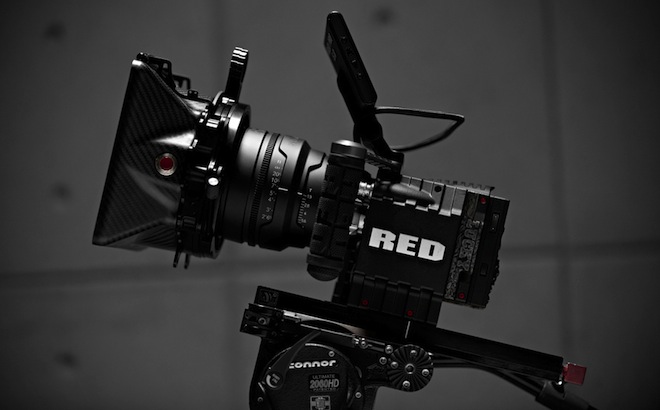
Red EPIC
Sony
The FS700 is the bomb. It covers broad range of customers from FS100 upgraders to potential C300 buyers – so right the way from well off consumers to broadcast television, not only as a 1080p camera but as a future proof 4K ready one that does 240fps super slow mo. The 4K add-on later is a touch of genius by Sony because it gives them the luxury of being more flexible with their market approach. The market is changing so fast, Sony can wait until the others have their 4K offerings out and bend to their pricing strategy; They only have to take into account the manufacturing and development cost of the external recorder, since the camera already has a 4K sensor and 3G-HD-SDI for $8k.
Hopefully the external recorder will be small enough to integrate into the camera like the current SSD unit on the FS100 does.
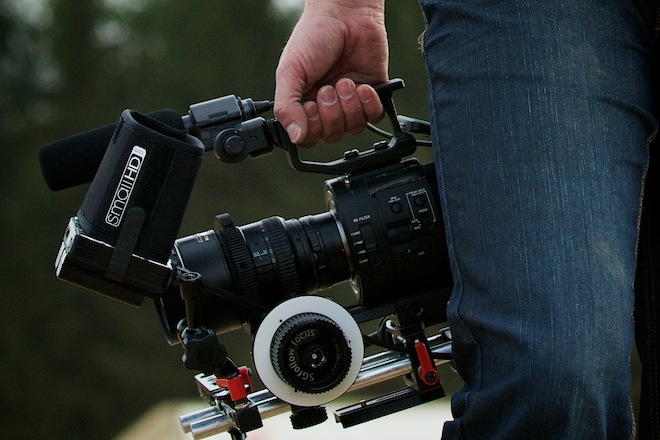
Sony FS700
Panasonic
Panasonic’s GH2 is brilliant and the momentum keeps building (the GH3 is due this year). The hack shows what low end hardware is capable of when truly unleashed. That camera’s sensor and image processor could be in a C300 competitor if it had the same build, built in ND filter wheel, better LCD, better audio and sturdier connectivity. That Panasonic can put a consumer camera like this out with such a knockout image for $600 makes you wonder what they are capable of at $8000 when freed from the kind of unimaginative thinking that plagued the AF100. AVC Ultra seems positive but I have a couple of concerns about Panasonic - the under specced AF100 is a problem as is the lack of a replacement any time soon. Also AVC Ultra is not a raw codec. Canon have EOSRAW, Blackmagic have uncompressed raw, Arri and Red have their own codecs. Where’s Panasonic’s?
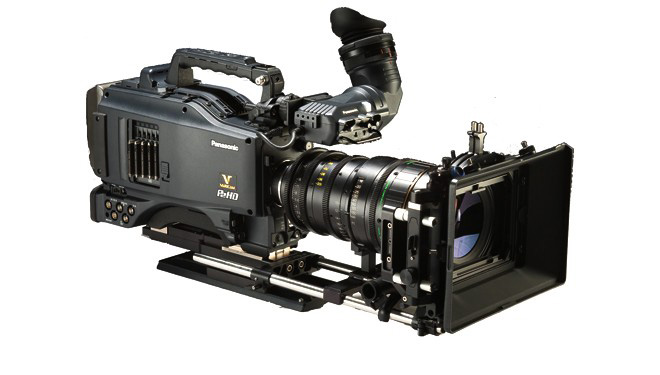
Varicam 3700
Above: the current Varicam is small chip CCD. Where is the Super 35mm version or a higher end offering above the already dated AF100?
And the winner is…
JVC! Only joking.
I originally began this article before NAB and one piece of the original text is quite pertinent now…
“At some point this year there will be a gap that one of these manufacturers will literally walk straight into, whether it is Sony with slow-mo on the FS700, Panasonic with their 12bit codec or Canon with a 4K DSLR.”
Well it turned out to be Blackmagic Design who walked into a gap.
We’re not talking about a small gap either, rather a gaping hole.
I’m astonished how unimaginative the big guys have been in their approach to bringing the mass market to the digital cinema market. The people who will buy the Blackmagic Design Cinema Camera won’t just be a tiny niche of indie filmmakers – they will be stills photographers, camcorder users, DSLR owners, students, artists, freelancers, journalists, small production studios and even some of the bigger ones, broadcasters, wedding videographers and even Philip Bloom.
That is some broad appeal!
Purely by virtue of silly pricing, Canon’s Cinema EOS stuff doesn’t have the same broad mass market appeal and their stills DSLRs aren’t giving us what we want (a major missed opportunity).
Whilst the Blackmagic camera is great remember however that it is only one product. Although the singular Apple iPhone mopped the floor with manufacturers who had 100′s of different models and variations on the market, filmmaking is more diverse than the world of pocketable Nokias. I think by virtue of pushing so hard on specs and being aggressive on pricing Sony are going to come out top dog. The F65 is more powerful than the Alexa for a similar price – $65k. The FS700 offers just so much for $8k it is mind-blowing. The FS100 for low budget shooters is a much better option than a Canon DSLR. Sony are also being pretty brave with their DSLRs as well – first to put 1080/60p in there – first to do a pro mirrorless camera with the NEX 7 and their sensor in the Nikon D800 is probably the best full frame sensor in the world right now. I can’t wait to see what their full frame A99 is capable of in video mode (remember it is in their new business strategy to push 4K tech to consumers).
So I can see Sony cleaning up in a broad range of areas, Blackmagic cleaning up at the $3000 point, Arri maintaining a good footing in worldwide high end production and everyone else picking up the crumbs from under the king’s table.


Source: EOSHD.com

Earn Money.....Short You URLs....


http://adfoc.us/

Canon 5D Mark III hacked – Magic Lantern on way

Canon 5D Mark III hacked – Magic Lantern on way
Friday, 27 April, 2012 on EOSHD
5D Mark III - Magic Lantern hack

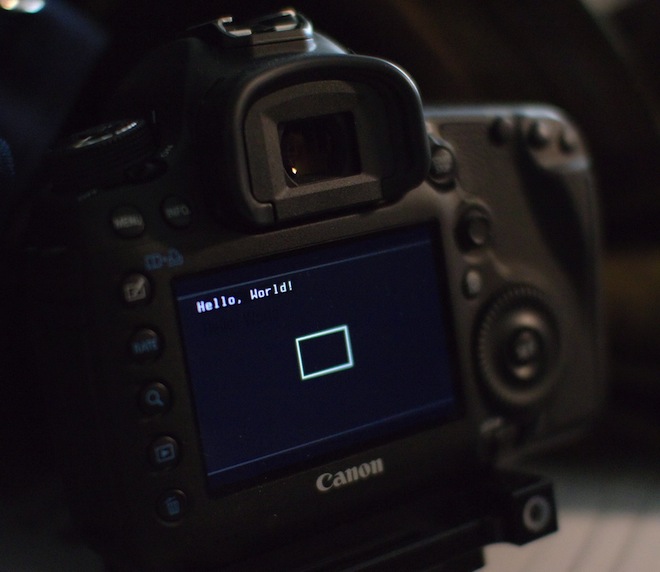
Above: a Magic Lantern test running on a real living 5D Mark III in the wild

Initial tests by Alex and the team at Magic Lantern show the hack will work with the 5D Mark III. Canon recently posted an updated firmware for the camera, allowing the file to be analysed and it seems Magic Lantern can be ported to the new camera.

For me his hack will be interesting, as this is the first DSLR with the new DIGIC5 processor as opposed to the processor all previous Magic Lanterns ran on – DIGIC4.

More power should allow the camera to be pushed much further in terms of image quality, frame rates and bitrates this time.

It will be great to have all the extra features Magic Lantern offers that Canon doesn’t – like peaking for one!

I wonder if the sensor can do 1080/60p if pushed with the variable frame rate patch?

The big one for me is unlocking uncompressed HDMI and improving the rather soft resolution (without the need to disassemble the camera like I did!)

Source: Here’s the initial developer’s thread at Google code for Magic Lantern on the 5D Mark III


Source: EOSHD.com

Have A Blog ..?

 Earn Xtra Cash....?


Join Now.... ADfocus

17 April, 2012

How to shoot around the 5D Mark III’s limitations

How to shoot around the 5D Mark III’s limitations
Tuesday, 27 March, 2012 03:33
5D Mark III

Here’s a quick guide to the things I’ve found useful with my 5D Mark III video shoots so far.
Picture profile recommendations
I don’t like to use a very flat image profile. I prefer to monitor an image whilst shooting which is representative of what I’m seeing. I also dislike the crushed tonal range that an extended dynamic range image profile like CineStyle produces and the increase in noise it entails – not to mention the hassle of grading it! For satisfying footage straight off the card I recommend Faithful – a typically warm Canon look with saturated colours. Keep sharpness at 0, off. This is far left not the mid point like the other attributes.
Don’t bother reducing contrast or saturation to a minimum as it will bake a crappy look into your image. With contrast and saturation at the mid point the codec grades better in either direction. Increasing saturation in post when it has been recorded at a minimum in camera gives you less colour data to work with. Reducing contrast too much makes low contrast detail muddy looking. Leave the colour tone setting at 0 (mid-point) since adjusting this gives you an ugly green or magenta cast to whites and lighter colour shades.
Sharpen in post not in-camera
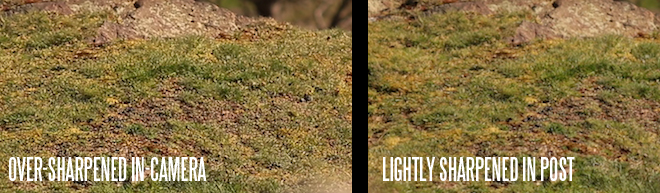
The in-camera sharpening is pretty ugly. Turn it off and use the Unsharp Mask in your NLE instead, which throws more flexibility and horsepower at the job of sharpening. Some scenes will sharpen better than others, be selective and judge each shot as it comes and the amounting of sharpening needed to make it pop. Judge sharpness on a moving image, not a still frame grab. Spatial resolution goes up with motion and what looks either too sharp or not sharp enough on a paused frame can change when it moves.
5D Mark III sharpening
Avoid a very deep depth of field
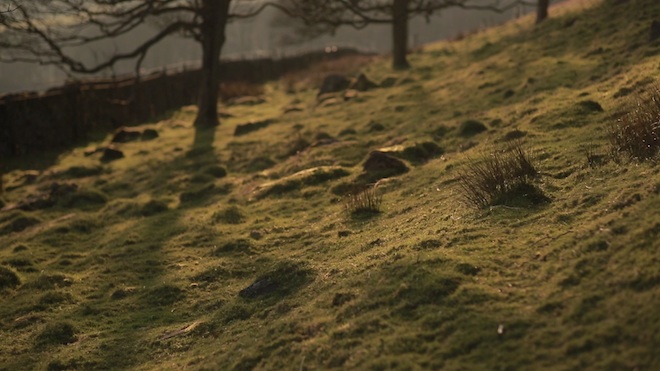
The 5D Mark III like the other Canon DSLRs is not great at deep depth of field because of the softness of the image. Using a shallower depth of field and a medium-close up to frame your subject helps the perceived level of detail jump right up. The camera can look as sharp as the GH2 given the right composition and sharpening in post.
Turn off noise reduction
The in-camera noise reduction softens your image in low light and reduces the amount of film like fine grain in the image. Since the 5D Mark III already produces a very soft image, a fine grain pattern helps to give a perceived resolution boost. You might even consider adding fine grain afterwards with a plugin in post. One of the best features of the Canon C300 and Panasonic GH2 is the fine noise grain at high ISOs. Turning off noise reduction doesn’t make much difference in how clean your image is in low light but it does reduce the amount of blotchiness and smearing of fine detail.
Use manual white balance
Canon seem to have tamed the auto-white balance after years of complaints that it was too warm. I enjoyed the warmness as I felt it was closer to what my eyes saw and closer to memory colour, despite not strictly being ‘white balanced’ in a technical sense. Now I find that I have to disable auto-white balance and select either a preset of the kelvin setting manually. Test first – check the image carefully in post and make sure your external monitor matches the final footage. Set the monitor or camera up alongside your NLE and compare the images.
Magic hour
Select the best recording format
Use 1080/25/24p in ALL-I mode. IPB isn’t worth bothering with as the compression is too high. Since the 5D Mark III is already resolution challenged, forget 720/60p unless you absolutely need to record very fast moving scenes in slow motion. Twixtor works superbly on 24p otherwise.
Export to a high bitrate for Vimeo and YouTube
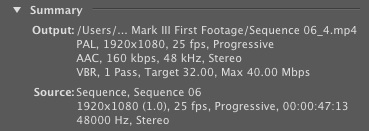
I use a VBR 1 pass H.264 codec in Premiere Pro CS5.5 to export my videos to Vimeo. Bitrate is on the high side for the web – an average of 32Mbit and a maximum of 40Mbit. The screen grab below shows my settings but ignore the part about 25 fps if you’re shooting 24p in NTSC land. Also select the option in Vimeo’s clip settings to stream your video in 1080p, rather than the default SD or 720p.
5D Mark III - Vimeo compression in Premiere Pro CS5.5
Use moire to focus with
The live view display scales the image to roughly VGA 640×480 and such is the extreme downsampling that some moire and aliasing is still visible on the live view display. This helps manual focus, making the focus plane rougher and more animated.
Re-assign the magnified focus assist
The amount of functionality than can be programmed to each programmable button on the 5D Mark III is quite limited but thankfully the ‘punch-in’ to focus can be assigned to SET. This means it is under your right thumb, rather than somewhere near your left hand!
Use a monitor instead of the built in LCD
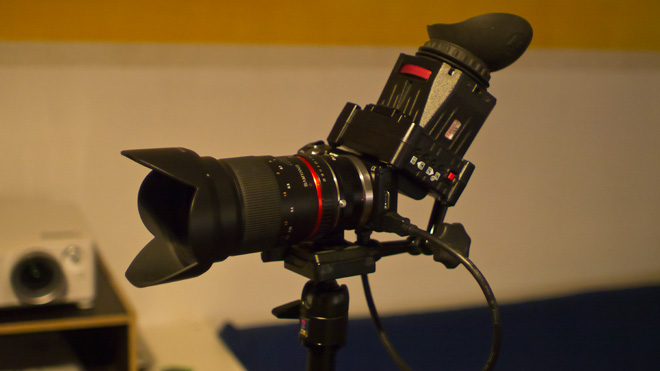
Shooting with a screen that cannot be angled upwards when the camera is on a tripod is a pain. The LCD also does not have great visibility in bright daylight. If you don’t mind the added bulk, use an HDMI monitor or one that double as both an EVF or small monitor like the Zacuto EVF. Invest in good rigging to attach the monitor to the camera, as this will affect its usability.
NEX 5N and Zacuto EVF
Above: my Sony NEX 5N rig with Zacuto EVF. A similar setup can be performed with the 5D Mark III for an articulated monitor or viewfinder
Assign the movie start/stop button to the shutter release
Many will find this more convenient. If you don’t plan to shoot stills almost simultaneously with video, go to the SHOOT5: Movie menu and assign the Movie Shoot Button to both the normal start/stop button and the shutter. To take stills you have to flick the lever on the live view button to enter stills mode. You can by the way take stills in the middle of a recording, but beware that the clip will pause for a second or two when the shutter is released.
Turn off automatic LCD brightness
Set this to manual for more accurate judgement of shot exposure using the LCD. It is hell with it turned on and it will affect your footage.
Turn off auto lighting optimiser
This can override manual exposure if enabled, causing unexpected changes in the middle of a shot!
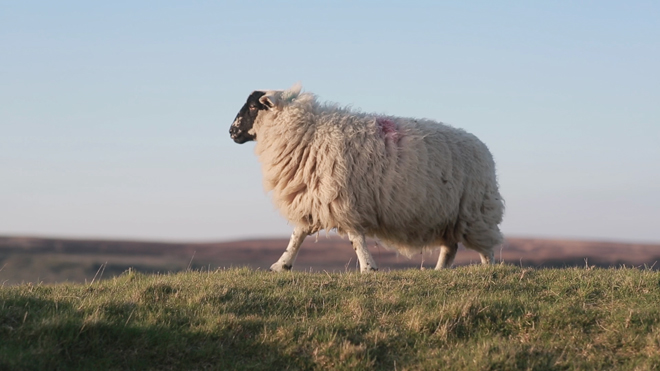
5D Mark III - sheep
Remove the viewfinder cup
The viewfinder cup which comes with the camera in a small plastic bag is simply terrible. When attached it wobbles. The last thing you want is the sound of a wobbling piece of plastic being picked up by your mic.
Stop down the lens
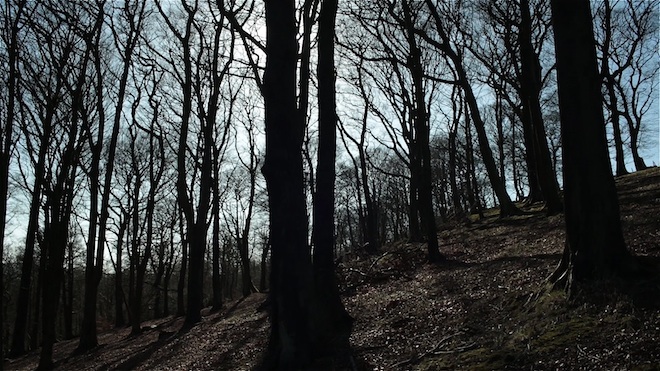
Depth of field control is pretty critical on a full frame sensor. Not every backdrop is better blurred out completely. Show restraint and not only will it be easier to get your subject continuously in focus but an attractive surrounding won’t look like a blank canvas.
5D Mark III in the woods
Have a GH2 or FS100 as a second body
It is financially viable, the Panasonic GH2 and Sony FS100 compliment the 5D Mark III very well. A larger range of lenses can be adapted. They have more manageable focus when the lens is wide open at F2 or F1.4 in low light. They have articulated monitors. The FS100 has slow mo in 1080p and peaking for manual focus. They both resolve more detail in landscape shots especially at infinity focus. I won’t detail all the advantages here but check back for a full run-down of the FS100 versus GH2 and 5D Mark III later next week.
Consider what the 5D Mark II was capable of in the right hands
Some superb looking stuff was shot on the predecessor. The 5D Mark III is even better. Yes it is a disappointment in many ways and should have been far better. But remember it is full frame – that look is special – great in low light, great at rendering your photographic lenses, a superb sensor in a body with great ergonomics and a diminutive size. Moire and aliasing is pretty much fixed. Audio is much improved. The codec is intra-frame and at a higher bitrate than on the Nikon D800′s internal codec. Frustration aside it is still pretty unique.


Source: EOSHD.com
Earn Money.....Short You URLs....
http://adfoc.us/

14 April, 2012

Canon 1D X Available for Pre-Order

[News] Canon 1D X Available for Pre-Order!
Canon-1D-X
Canon’s flagship 1D X was announced quite early. But thankfully, it’s now available for pre-order at B&H PhotoVideo or at Adorama! The 1D X features full 1080p video, better autofocus, an insane 12fps continuous shooting at the full 18 megapixels, and improved metering, among plenty of other features you’d expect from the best of the best at Canon. Find all the information you’d want on Canon’s page. B&H even says quantity is limited, so if you want it anytime soon, pre-order now!


Source: http://fstoppers.com/news-canon-1d-x-available-for-pre-order
Image: Fstoppers

Canon 5DMkIII’s Backlight Affects Exposure: It’s Official

[News] It’s Official: Canon 5DMkIII’s Backlight Affects Exposure

Canon has issued a product advisory for the 5D MkIII, admitting that the company’s newest addition currently on shelves has some issues exposing correctly while the backlight is on. Canon is working on the issue, but has not yet stated anything specific about possible solutions…
It’s important to note that this issue only happens in low-light situations and that it’s different than a light leak, which is what not-so-uncommonly happens with lenses of various brands. Still, it’s a big issue for some hoping to exploit the camera’s great low-light capabilities; and hopefully Canon will find a solution soon. For a clearer idea of the issue, the video above shows an excellent example of the backlight-exposure problem.
Here’s the full advisory:
“To Users of the Canon EOS 5D Mark III Digital SLR Camera
Thank you for using Canon products.
The phenomenon described below has been confirmed when using the Canon EOS 5D Mark III Digital SLR Camera.
Canon is now examining the countermeasures and once the countermeasures are decided, we will post the information on our Web site.
Phenomenon
In extremely dark environments, if the LCD panel illuminates, the displayed exposure value may change as a result of the AE sensor’s detection of light from the LCD panel.
Affected Product
Canon EOS 5D Mark III Digital SLR Camera
Support
Once the preparations are complete, we will be making an announcement on our Web site.
This information is for residents of the United States and Puerto Rico only. If you do not reside in the USA or Puerto Rico, please contact the Canon Customer Support Center in your region.
Please register the EOS 5D Mark III. By registering, we will be able to notify you via email when service updates are available. If you already registered, please ensure you are opted-in to receive the notification.
Thank you,
Customer Support Operations
Canon U.S.A., Inc
Contact Information for Inquiries
Canon Customer Support Center
Phone: 1-800-OK-CANON
1-800-652-2666
TDD: 1-866-251-3752
Email: carecenter@cits.canon.com
For additional support options: www.usa.canon.com/support”


Originally Posted here...
Full Article Source:   http://fstoppers.com/news-its-official-canon-5dmkiiis-backlight-affects-exposure

How I opened my 5D Mark III – and why you have to be crazy to do it

How I opened my 5D Mark III – and why you have to be crazy to do it
Wednesday, 11 April, 2012 00:22

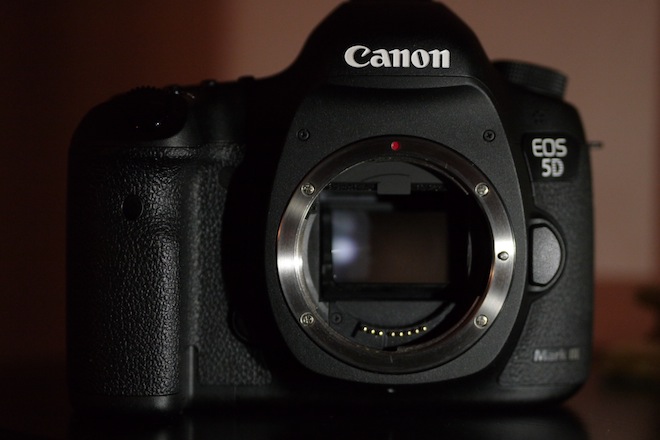
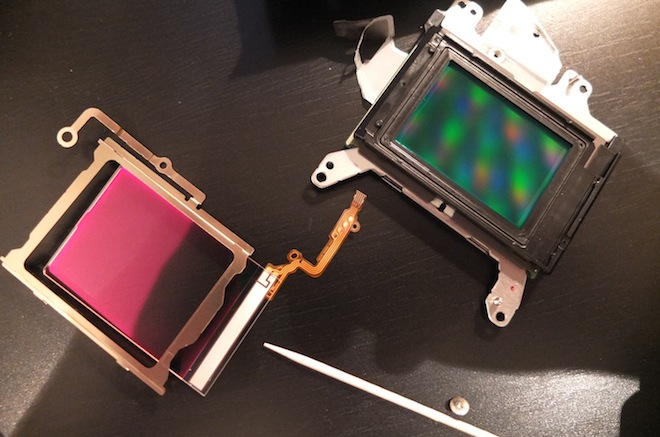
5D Mark III's sensor unit and OLPF
Disclaimer: I accept no liability, nor can I recommend this risky operation on your camera unless you are totally insane!
Over Easter I disassembled my 5D Mark III. The aim is to remove the optical low pass filter that sits in front of the sensor block, a drastic operation pioneered by James Miller last week. Removing it increases resolution in video mode and makes for a sharper image with no digital sharpening in post required.
With results that good on offer, why do you need to be bonkers to try it? Read on to find out how the teardown went…
The 5D Mark III has a strong low pass filter to reduce aliasing and moire. Removing it improves on the soft video a standard 5D Mark III’s produce and yet moire and aliasing stays as absent as before. There is a second low pass filter present in the sensor block itself. You don’t need to remove that one.
However, if you are thinking of opening your camera you need to be aware of some important info:
  • The anti-aliasing filter (optical low pass filter or OLPF) contains a coating that blocks light in the infrared (IR) wavelength. Infrared light mainly affects the colour balance of black fabric – shifting them toward red for a purple hue. You need to use an IR block filter on the lens with some light sources especially where non-reflective objects like grey and black fabrics are in the frame.
  • The sensor unit is mounted on springs. Screws regulate the distance between this sensor block and the lens mount for fine tuning focus. This needs to be done by hand with a Torx screwdriver after rebuilding the camera otherwise your focus will be completely off.
  • The self cleaning unit is part of the optical low pass filter so you lose it. You must disable the automatic sensor cleaning in the menus and be careful not to get any dirt on the sensor from then on, otherwise you’ll have to clean it yourself or get it done professionally.
  • The camera is incredibly fiddly inside with numerous delicate ribbon cables, all different. It is not neat and easy to manipulate.
  • It is very easy to damage the camera unless you are very careful and have prior experience of taking apart laptops, cameras, small consumer electronics, etc.
Those are the cons, what about the pros?
  • The fabled increase in natural sharpness and resolution for video (also for stills)
  • A camera which is more attractive for astro photography and timelapse due to a lack of IR cut filter and no OLPF
  • Seemingly a wider colour gamut and dynamic range – at least to my eye so far… Especially in the shadows a bit of infrared seems to help.
  • If you are confident about succeeding, it is really fun to take stuff apart
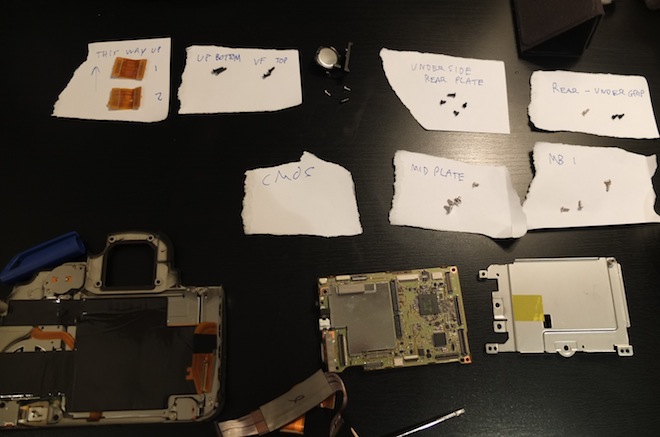
5D Mark III in bits
Above: my 5D Mark III in bits – but it lived to tell the tale!
The tools you need to do this are basic.
1x high quality PH00 screwdriver, 1x Torx T6 screwdriver, a set of cocktail sticks and a very steady hand. Plus the ability to not sneeze while working on it.
Be very careful because it is easy to strip the head off the small body screws. Canon has used a very soft alloy. When you re-assemble the camera after removing the filter and find focus is off you have to be able to open the back of the camera again and adjust the sensor plate. If just 1 screw head is stripped anywhere on the body it prevents you from ever opening the camera again and you will end up with a brick that cannot focus.
To remove the optical low pass filter you need to dig down under a circuit board and a metal plate, then remove the sensor altogether. It isn’t a case of just removing the back! Therefore this isn’t for the faint of heart or for those inexperienced with taking stuff apart.
The cocktail sticks help to disconnect the fiddly ribbon cables without scratching, denting or tearing any connections. Don’t use metal tweezers to pull on these and be warned – some of the ribbon cables pull out or lift off freely but most have a latch on the socket which must be popped up with a cocktail stick to free the cable. It is not always clear which part is the latch! These latches and the plastic of the socket are extremely brittle. It is all too easy to snap bits off. Connectors all either pull out, lift off, or pull out after the latch is opened. There’s no standardisation – nearly every single one is different. Bad design!
I’m writing a comprehensive guide to do the op for those insane enough to do a spot of DIY! But I am really not sure whether to release it or not as I do not want to encourage anyone to lose $3500 worth of equipment. Stay tuned.
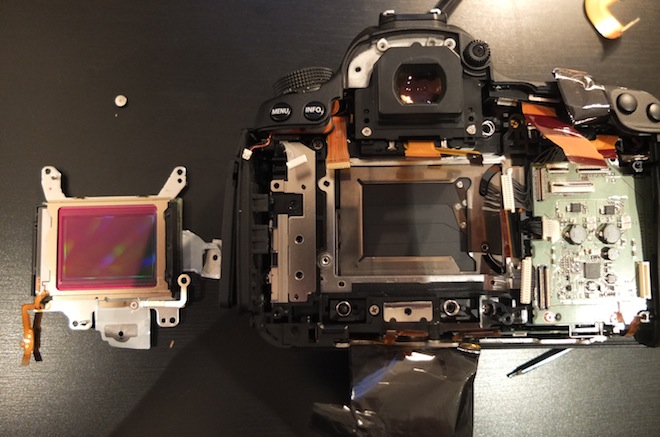
5D Mark III opened
Above: The sensor unit with OLPF attached (purple glint from IR-block coating) and the 5D Mark III stripped down to the shutter
Image quality improvements
There is a definite improvement without the filter.
Aside from blocking infrared and acting as a the self cleaning unit I’m surprised Canon felt the need to include it at all. In stills it isn’t much of an issue but for video it certainly is.
SO…Is the camera resolving closer to GH2 levels of detail without the low pass filter? I’d say I am very happy with the image so far. Absolutely no sign of moire or aliasing and a nice feel to fine detail. It is very close to the GH2 / C300. But full frame!!
Footage looks more cinematic, more organic.
The difference is especially noticeable with in-camera sharpening turned off completely. Before, with no digital sharpening it was really mushy and you had no choice but to try and sharpen it in post which is a poor substitute for proper resolving power. Now I don’t need to sharpen in post – although it will be interesting to see what difference that makes now!
I no longer feel the urge to have to have 1 notch of sharpening turned on in-camera either.
I’ve not shot a ton of stuff without the filter yet but plan to make a day of it soon and post the results vs the GH2 and FS100. All in all it was fun to do and the results appear to be exciting at first glance – but it is still early days for such a drastic solution to the 5D Mark III’s poor resolution in video mode out of the box.


Source: http://www.eoshd.com/content/7813/how-i-opened-my-5d-mark-iii-and-why-you-have-to-be-crazy-to-do-it

Ayeza Khan Photoshoot 2020, Ayeza Khan Photos, Ayeza Khan 2020 New

Ayeza Khan Hot Photoshoot Ayeza Khan Hot Photoshoot, Ayeza Khan, Ayeza Khan Photos