Showing posts with label Optimus Maximus. Show all posts

08 May, 2012

How to Optimize Your Headlines for Google and Humans

How to Optimize Your Headlines for Google and Humans
 by Jonathan Rick on Mashable


Jonathan Rick is a director at Levick Strategic Communications. He contributes to Levick’s Bulletproof Blog. Follow him @jrick.
Why do search engines always rank certain websites so highly? Sure, their content might be great, but their search engine optimization is definitely awesome. Indeed, for many sites, the search-engine spiders that crawl the web deliver a third or more of their traffic.
So crafting key parts of a page, like a headline, is critical. Perhaps the most famous example comes from theHuffington Post, which in February reeled in readers with the ingenious bait: “What Time Is the Super Bowl?”
In protest, writers for publications such as The Washington Post, The New York Times, and The Atlantic each took turns slugging the SEO punching bag. The headlines describe their complaint: “Gene Weingarten Column Mentions Lady Gaga.” “This Boring Headline Is Written for Google.” “Google Doesn’t Laugh: Saving Witty Headlines in the Age of SEO.”
In other words, algorithms don’t appreciate wit, irony, humor, or style. As reporter Steve Lohr put it, they’re “numbingly literal-minded.” Yes, it is one of the definitive 21st century truisms that in addition to writing for eternity, or for one’s mother, today’s writer must also write for Google.
That, however, doesn’t mean your headlines have to be stale. You can pen pun-based headlines all day long and maintain your journalistic integrity. Consider these examples from leading news organizations. As with most things in life, the media have adopted tactics that range from bad to the best.

Bad


Don’t write the same headline for both the article and the page. The difference is that an article title is what you show your readers, and a page title is what you show search engines. (With a good plug-in, like Page Title for Drupal or WordPress SEO for WordPress, you can rig most content management systems to separate the two.)
In the examples below, keywords pertaining to the subject of each article are, well, nowhere. Google doesn’t know if the Time article involves a beach called “Force One” or presidential vacations. Likewise, does “Hacked” mean a hacked Gmail password or the Stuxnet virus? And it’s unclear if “The Woman Who Knew Too Much” refers to Alice Stewart, who wrote a landmark biography by that name, or the former chairwoman of the congressional oversight panel monitoring the Troubled Assets Relief Program.
    Time
  • Article Title: “Beach Force One”
  • Page Title: Beach Force One
  • Article Title: “Hacked!”
  • Page Title: Hacked!
  • Article Title: “The Woman Who Knew Too Much”
  • Page Title: The Woman Who Knew Too Much

Good


A better approach employs a single title that blends creativity with SEO punch. The idea is to craft headlines that are both self-explanatory and catchy. The compromise here allows both creativity (integrity) and technology (impact). It kills two birds with one keystroke.
    Mashable
  • Article Title: “15 Case Studies to Get Your Client on Board With Social Media”
  • Page Title: 15 Case Studies to Get Your Client on Board With Social Media
  • Article Title: “Scott Forstall, the Sorcerer’s Apprentice at Apple”
  • Page Title: Scott Forstall, the Sorcerer’s Apprentice at Apple
  • Article Title: “What Everyone Is Too Polite to Say About Steve Jobs”
  • Page Title: What Everyone Is Too Polite to Say About Steve Jobs

Better


Headline writing crystallizes the writer’s dilemma. To a writer, a headline is a one-shot first impression that stops a mouse-moving, page-scrolling, attention-deprived user in his pixels and makes him wonder, “What is this?” The way to do this is with a two-title approach. True, the two-title technique means extra work. But absent sheer dumb luck, only extra work can deliver the eyeballs your content deserves. And considering the dramatic difference between the number of clicks generated by the first result Google returns vs. the second, the third, and the fourth, you owe it to yourself to play every angle in this ever-changing race to the top.
    The New Yorker
  • Article Title: “Changing Times”
  • Page Title: Jill Abramson, New York Times’ First Woman Executive Editor
  • Article Title: “White House Party Crashers Cause a Hangover”
  • Page Title: Obama Asks for Review After Michaele and Tareq Salahi Crash White House State Dinner
  • Article Title: “Deliverance”
  • Page Title: U.S. Postal Service: Will It Survive?

Best


For those looking to wring every drop of SEO juice out of every article, there’s a fourth arrow in your quiver: themeta description. It is from here that Google often pulls the two-line “snippet” displayed for each webpage.
Why bother with a meta description? Simple: according to the SEO uber-site, SEOmoz.org, a description induces more clicks. At the same time, SEOmoz offers a caveat: While a description makes sense for an article that targets a few heavily searched terms, if you’re going after long-tail traffic, “it can sometimes be wiser” to forgo the description and let Google work its will. (If a description is missing, Google will create one, scraping the article for pertinent content.)
Yet SEOmoz’s qualifications aren’t written in stone. “In some cases,” search engines will “overrule the meta description” altogether.” But here too, it’s not always wise to bank on that possibility. Here’s how some of the best leverage this option.
    New York Magazine
  • Article Title: “What’s Eating the NYPD?”
  • Page Title: Why the NYPD Is Turning on Ray Kelly
  • Meta Description: Ray Kelly has built the best police force in the country. Now it is turning on him.
  • Article Title: “Citizen Cain”
  • Page Title: Herman Cain’s Unlikely Republican Rise
  • Meta Description: Meet the rising GOP star who is confounding the pundits and much of black America.
  • Article Title: “When Is a Flip Not a Flop?”
  • Page Title: The Fate of the Republicans Who Supported Gay Marriage
  • Meta Description: The four Republicans who broke with their party on New York’s gay-marriage law were supposedly marked for electoral death.But that’s not exactly how it is working out.
SEO is an ever-evolving and much-debated field. It’s full of qualifications and judgment calls, backed by correlation studies and launched by conjecture. Those convoluted meta descriptions notwithstanding, start with the above best practices. With this foundation, you’ll be able to pull off one of the web’s hardest acts: you’ll be able to make Google laugh.
Image courtesy of iStockphotopressureUA


Source: Mashable

Earn Money with Your Blog And Popular FB page
ADfocus

24 February, 2012

15 Super Cool Keyboards You Have Never Seen

15 Super Cool Keyboards You Have Never Seen
Keyboards are an essential part of our computers. We use computer keyboards mostly to type. However in recent times we have seen a diversification in the use and design of keyboards. They are no longer used to type only text anymore, but are now used to do lot more tasks. Playing Games, Controlling Media Players and launching applications are some of them.
To meet these user requirements, keyboards are no longer confined to having only alphabetical keys and numbers. They now come with Media Controlling Keys, Special Keys for Playing games, Shortcut Keys to launch applications and some have even taken a step ahead and come with touch screen instead of the traditional buttons.
We don’t usually get to see these types of keyboards in homes and offices. Let us take a look at some of these unusual but cool Computer Keyboards that make the use of Keyboards easier and much more sophisticated.

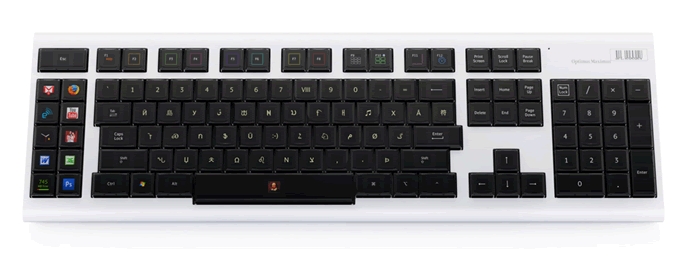
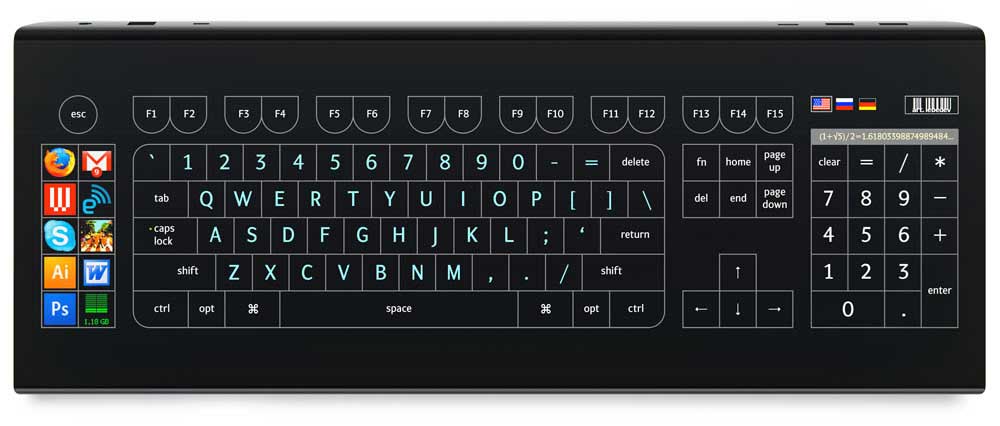
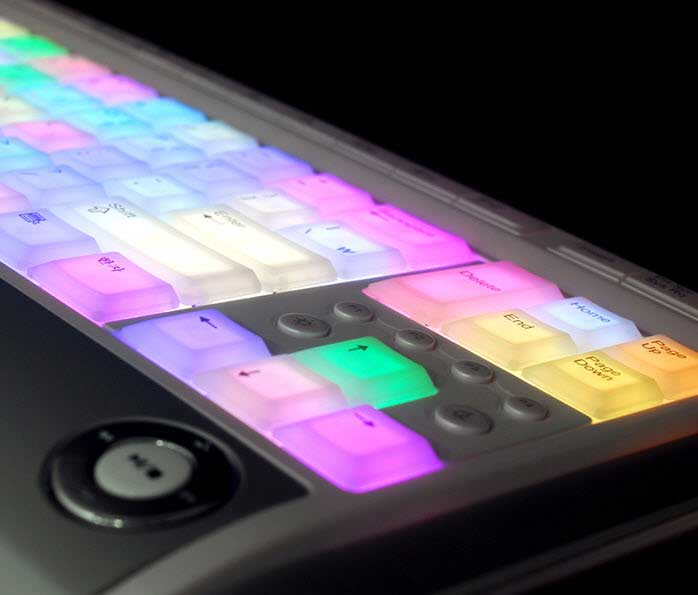
1.Optimus Maximus

optimus_maximus
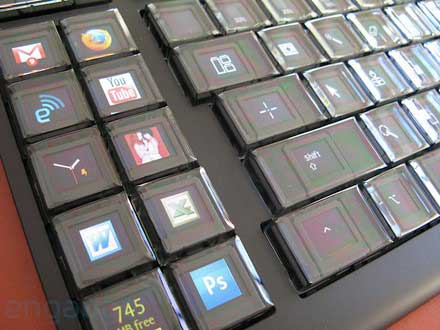
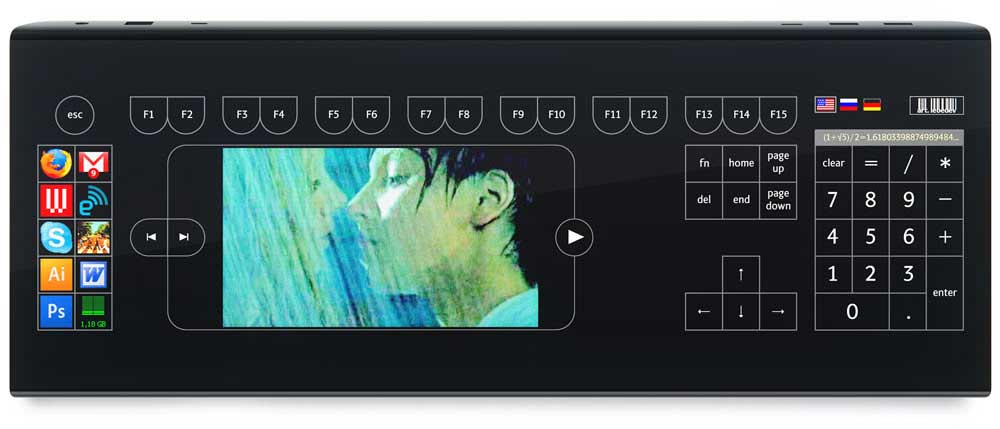
Optimus Maximus is a fully customizable keyboard that lets you choose the sequence of the characters on the keyboard. Each key of the Optimus Maximus is a stand-alone display that shows the function currently assigned to it.
You can make use of any language like Cyrillic languages, Ancient Greek, Arabic etc. Apart from that you can use any other character sets:  notes, numerals, special symbols, HTML codes, math functions etc. The possibilities are infinity.
You can also assign shortcuts of websites you different keys and add an image to easily find the shortcut later. The Optimus Maximus Keyboard has a total of 113 Screens each with a resolution of 48 x 48 Pixels.
optimus-maximus

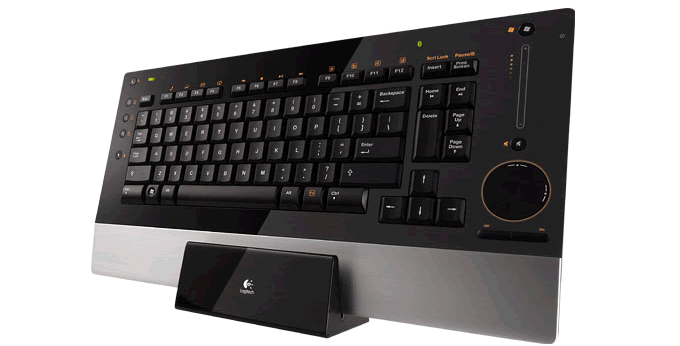
2. Logitech diNovo Edge

logitech_dinovo_edge
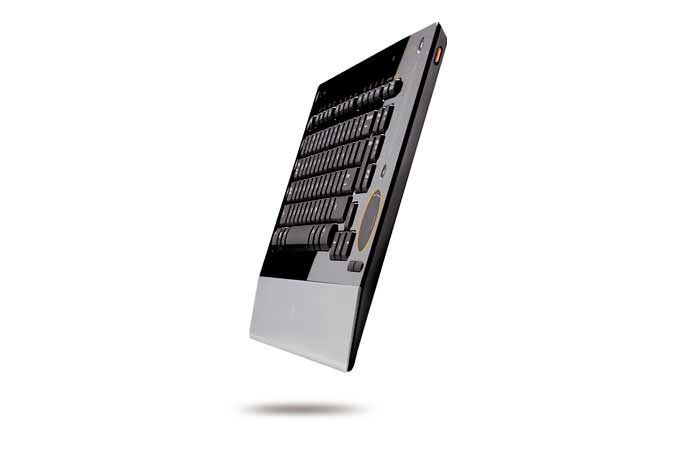
The Logitech diNovo Edge Keyboard is one of the most stylish Keyboards you will find in the market. The diNovo Edge has been Laser cut from a single, semi-translucent piece of black Plexiglas and set into a brushed-aluminum frame.
The TouchDis navigation makes it possible to move the cursor by Moving a finger up and down or across the disc.  A touch-sensitive volume slider will enable you to quickly adjust the computer’s volume. For the fluid and natural Keystrokes,
The PerfectStroke™ key system has been used. No matter how fast and hard you type, it will  neither make any sound nor will it hurt your fingers. The Logitech diNovo is rechargeable and a two-hour charge yields up to two months of battery life.
logitech_dinovo_edge_slim

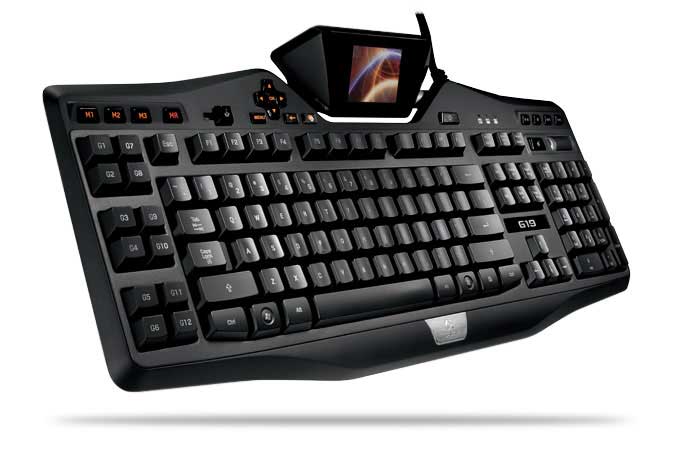
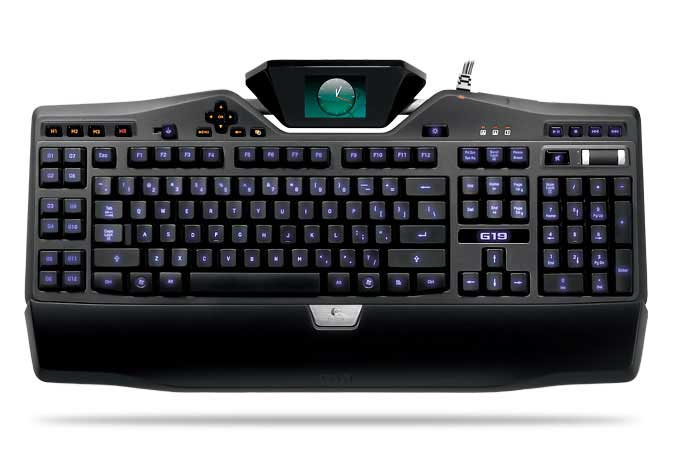
3. Logitech G19 Gaming Keyboard

Logitech G19 Keyboard for Gaming
The Logitech G19 Keyboard is the most sophusticated gaming keyboard. The Logitech G19 Gaming Keyboard is powered by Two Hi-Speed USB 2.0 ports which makes Transfer of data to and from peripherals faster. The Multi-Key input make it possible to use up to five keys at once to perform multiple complex actions while gaming.
The G19 Keyboard has Tilt-able, 320 x 240px, color GamePanel LCD which shows “unprecedented levels of information—both in- and out-of-game—including game stats, system information, VOIP communication data, video playback, image slideshows, and many other items”.
User-selectable back-lit characters make it possible to easily locate keys while playing in dark and Personalize the keyboard to better fit with the rest of your computer and gaming equipment.
Logitech G19 Gaming Keyboard

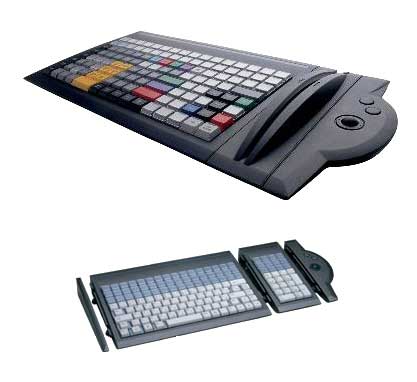
4. Tipro Custom Assembled Keyboard

tipro_custom_assembled_keyboards
Tipro Custom keyboard is a highly flexible and fully customizable keyboard with a Rugged plastic housing. The keyboard has User definable input data control which makes it a best solution for a user’s particular needs. The Tipro has Optional pointing, reading and control modules.
Superior mechanical long travel key switches and metal carrying plate and secure cabling make it rugged and highly reliable. The Tipro Custom Keyboard is Assembled byUnique Micro Designs and comes with a 12 Months Return to Base Warranty.

5. Optimus Tactus

optimus_tactus_keyboard
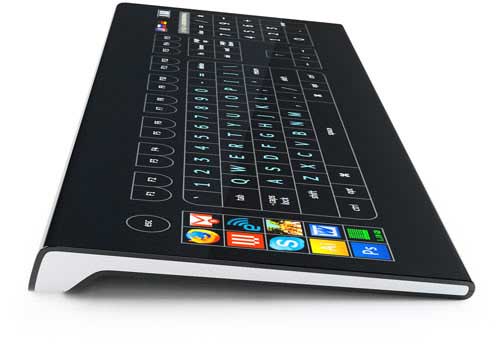
Optimus Tactus does not have any physical keys. Lack of any physical keys means that there are no restrictions on their shape and size of the keys. You can keep a single key on the keyboard or Display all of them on the Touch screen.
The keys can be set in any language. It is just a big Touch Screen Display which can be programmed to display any key or image. It can be programmed to display videos too. There are no limits to what you can do with the Optimus Maximus Keyboard. It is a concept for now but we are sure we will get to see this keyboard in markets soon.
optimus_tactus_video
optimus_tactus_keyboard_side

6. Luxeed LED Keyboard

luxeed__led_keyboard
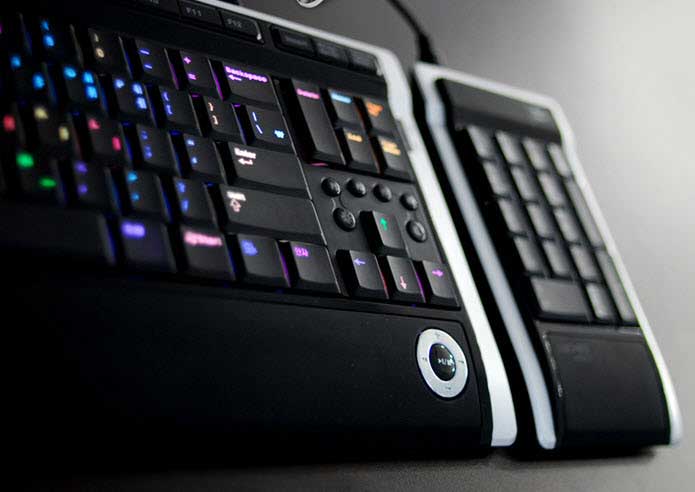
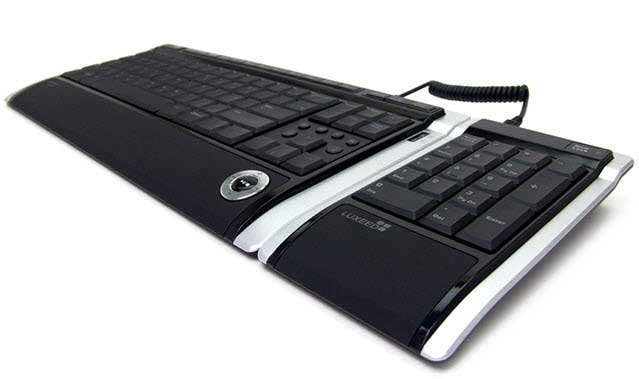
Luxeed Computer keyboard incorporates the LEDs in its construction making it one of the most colorful Keyboards around. When it is not connected to the computer, it may look like just a regular keyboard but when you connect it to the Computer, it displays colorful lights making it a unique Keyboard.
Luxeed LED Keyboard contains a total of 430 LEDs and each can be assigned different color by its user.
luxeed_keyboard_led
It has a detachable Numeric Pad to save up on space when you don’t need the Num-Pad.
luxeed_keyboard_with_430_leds

7. Handwriting Recognition Keyboard

Handwriting Recognition Cool Keyboard
This full-size USB keyboard with handwriting recognition has a Fashionable super thin design. The keyboard has a very sensitive handwriting recognition system and is very useful for digitizing your handwriting. The writing pad of this A1Pro keyboard doubles as a mouse.

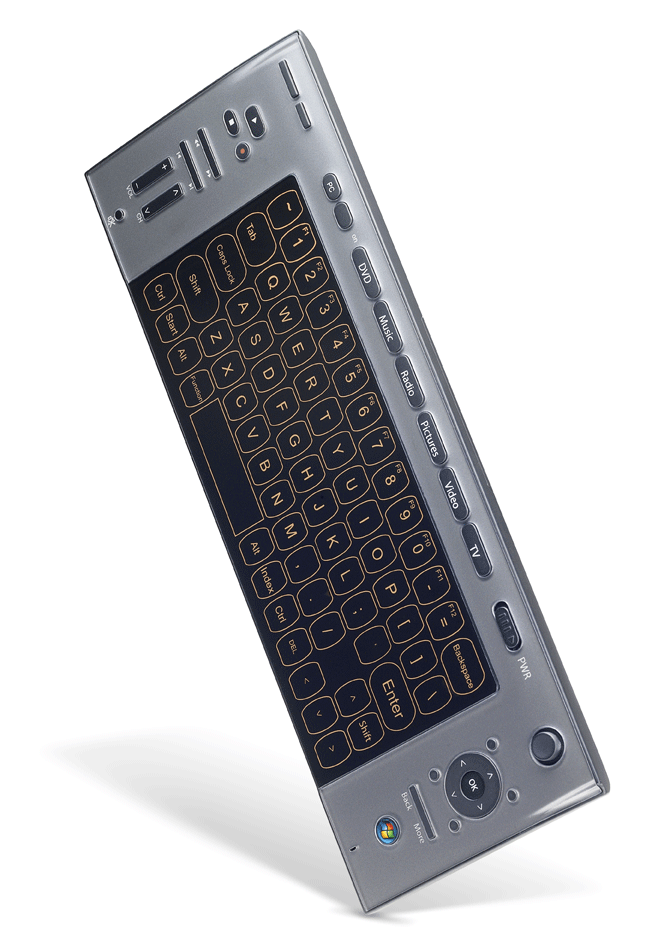
8. Amex Digital Touch-Screen Wireless Keyboard

amex_digital_wireless_keyboard
Claiming to be the world’s most advanced Touch Sense Windows Vista keyboard, Amex Digital Touch screen Keyboard is an ideal partner for any high-end computer.
The ultra-slim AMEX Touch Screen keyboard delivers the ultimate feel and response. 2.4G RF wireless technology lets you go wire free and use the Wireless Keyboard within a range of 30 feet. It has got a One touch access to Windows Media Center and Multimedia Keys for easy Media Navigation.

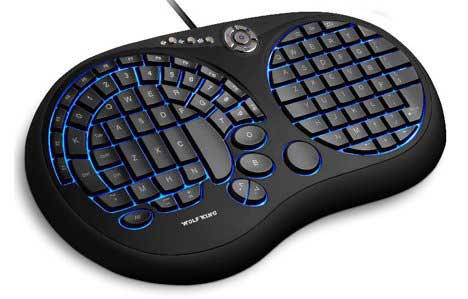
9. Wolf King Warrior XXtreme

Wolf King Warrior XXTREME
Wolf King Warrior XXtreme USB Gaming Keyboard is a very unique keyboard. It has an innovative design and amazing functionality. It has a lighted keypad option which enables you to game even in dark.
The Warrior XXtreme enables the user to type with just one hand and the new audio controls and “K Lock” feature allow for constant communication. All the important control keys for FPS and RPG Games are accessible with minimal changing of hand position. The XXtreme Gaming keyboard has got flexible 3-layer silicon membrane for extremely quiet use.

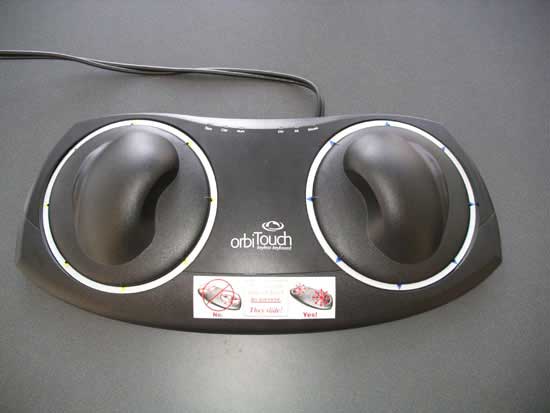
10. orbiTouch Keyless Ergonomic Keyboard

orbi_touch_keyboard
orbiTouch is a key-less ergonomic keyboard solution that removes the barrier posed by the traditional keyboard/mouse combination. The orbitouch creates a keystroke when you slide the two domes into one of their eight respective positions.
A user types the different characters by sliding the domes to create letters and numbers. The orbiTouch Key-less Keyboard has an integrated mouse. orbiTouch Keyless ergonomic Keyboard comes with a typing tutor program and on-screen help so that you may get used to the new typing process. (Product Page)

11. Virtual Laser Keyboard

laser_keyboard
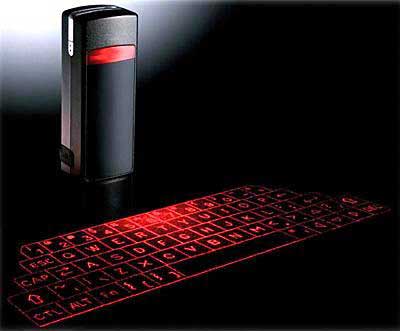
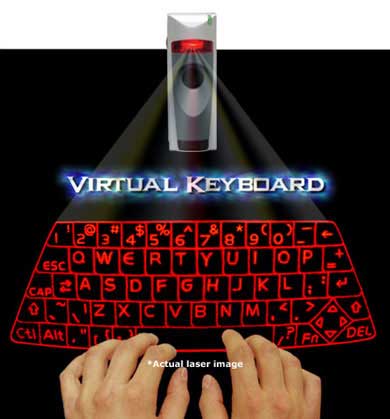
The Virtual Laser Keyboard (VKB) is a revolutionary accessory for all the portable gadgets like Blackberry, Smartphone, PDA, Mac & Tablet PC but can be connected to a computer too using a USB dongle.
The Virtual Keyboard comes with an elegant leather jacket and you can take it with you in your pocket. It is of the size of a Zipo lighter and operates in total darkness. It uses a laser beam to generate a full-size perfectly operating laser keyboard.
laser_keyboard_virtual

12. The Ergo Keyboard from Nicolas Tavlas

ergo_keyboard
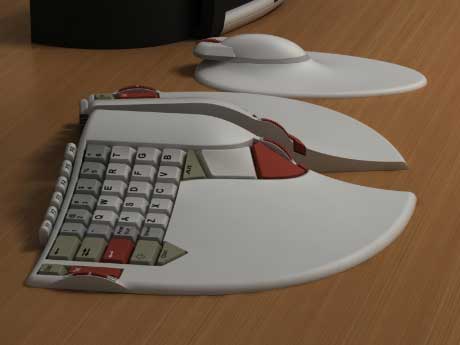
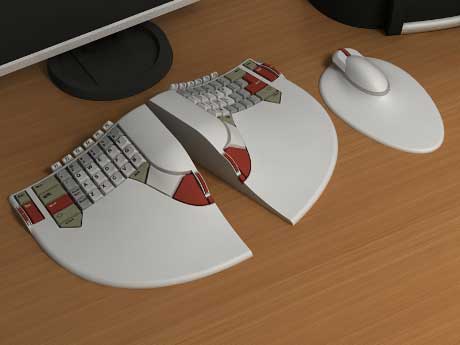
The Ergo Keyboard from Nicolas Tavlas is a user-friendly Computer keyboard built keeping Ergonomics in mind. While typing, the user’s hand is kept in the most neutral position possible while maintaining a familiar layout, and the keys are inclined sideways by 25 degrees, reducing the twisting of the wrist but maintaining the letters legibly.
As we keep the right hand moving between the mouse and keyboard and the left hand sits idle most of the time, so several frequently used keys have been moved to the left of the Ergo keyboard.
ergonomic_keyboard

13. Ergonomic Steampunk Keyboard

ergonomic_steampunk
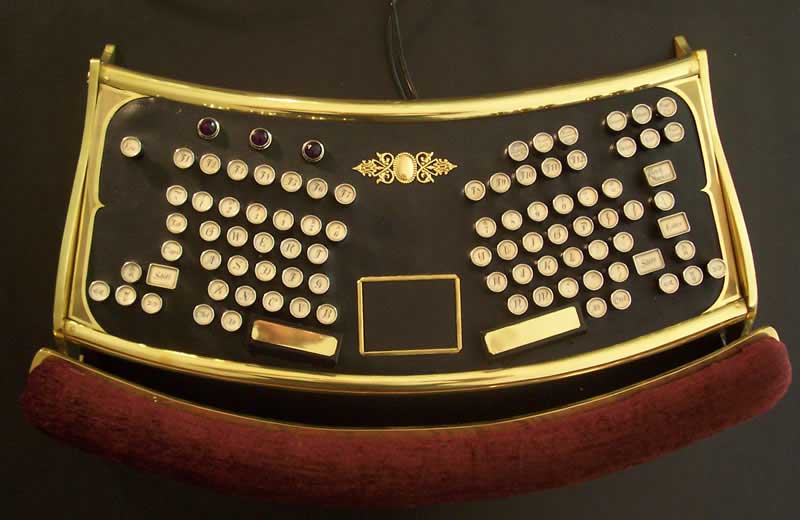
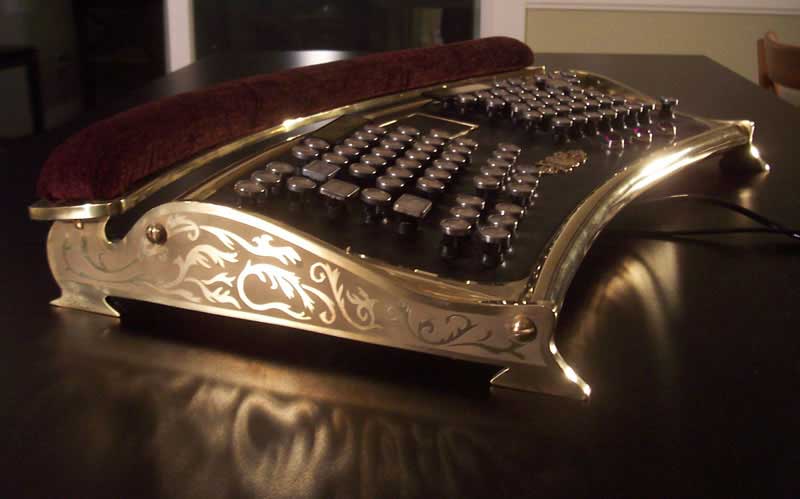
This Ergonomic Steampunk Keyboard is actually a very rare IBM Model M-15 split ergonomic keyboard transformed into this Steampunk design by datamancer. It also has a built-in “button less” touchpad mouse in the center. The typing plane is tipped forward rather than back and looks odd at first but makes for a perfect typing position.
ergonomic_steampunk_keyboard
Also check my other post about cool computer keyboard for geeks on Walyou. If you know of any other cool keyboards, do let us know in the comments section below.

Ayeza Khan Photoshoot 2020, Ayeza Khan Photos, Ayeza Khan 2020 New

Ayeza Khan Hot Photoshoot Ayeza Khan Hot Photoshoot, Ayeza Khan, Ayeza Khan Photos