Showing posts with label Best Keyboards. Show all posts

11 May, 2012

5 Beautiful Keyboards to Spice Up Your Boring Desk

5 Beautiful Keyboards to Spice Up Your Boring Desk
October 23, 2010 by Amy-Mae Elliott on Mashable

If you’re using a desktop computer to navigate the online jungle, chances are you spend a good bit of time at a boring old keyboard.
The good news is that you don’t have to settle for uninspiring hunks of plastic. It’s worth investing a little bit of money into something that you use so often. There are some really stylin’ keyboards out there, and we’ve picked out five of the best.
Whether you’re a Mac or a PC (or both for that matter), read on for five fabulous input devices that will make staring at the keys a pleasure, rather than a chore.
Let us know which keyboards you loved or your suggestions for other cool options in the comments below.

1. Microsoft Arc


Microsoft has always enjoyed a good rep for their keyboards, but it’s not until its Arc range came along thatstylish product design really came into play.
More of a lifestyle accessory than a PC peripheral, the thinking behind the Arc keyboard is that as the home office expands into the living room (and beyond) this is the keyboard to go along with it.
Wireless, with the magnetic nano-receiver folding underneath for easy storage, the Arc has a curved “dome” shape for comfortable use on laps.
While it was launched in stylish black, it’s the special edition white and lime green version — available exclusively at Amazon.com — that gets our vote.
Cost: Currently $57.19 (down from $59.95)

2. Logitech diNovo Edge


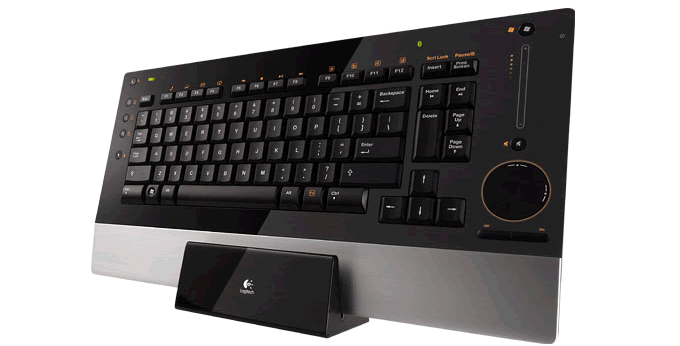
Available for both Macs (complete with Command and Option keys) and PCs, Logitech’s diNovo Edge is a high-end keyboard with good looks and a great feature set.
You charge up the Edge in its cradle (which also works brilliantly for upright storage if you’re short on desk space) with a two-hour juicing session giving enough charge for around two month’s use.
Cool features include a touch-sensitive volume slider, a “TouchDisc” to scroll or move the cursor, and whisper-quiet scissor-switch keys.
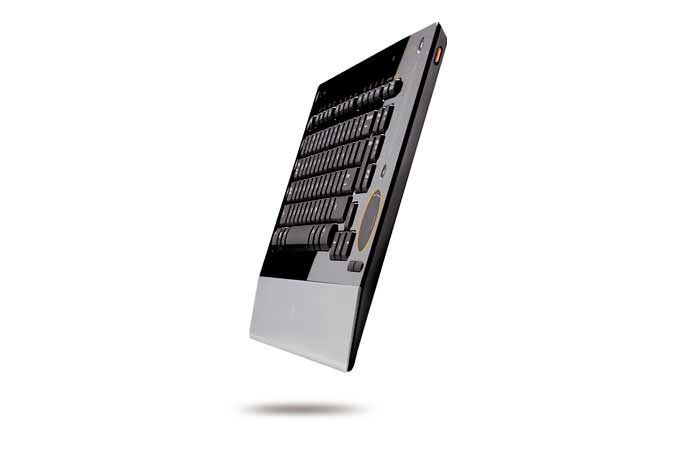
We’re not forgetting the looks of course, and the diNovo Edge delivers with glossy, semi-translucent, black Plexiglas, brushed aluminum and slimline 11mm dimensions.
Cost: $179.99

3. Impecca Custom Carved Bamboo Keyboard


Unlike rival products that only boast a bamboo base, this peripheral’s keys are also made from the natural material.
Perfect for anyone that loves the touch of wood instead of cold chrome or plastic, the keyboard is a simple way to add a bit of eco-chic to your PC set-up.
While the keyboard’s innards are still made of the same old stuff, at least you’ll know by going down the bamboo route, it’s one less plastic case to end up in a landfill.
Cost: $69.99

4. Art Lebedev Optimus Maximus


Let’s get one thing straight: The Optimus Maximus is not just a keyboard, it’s a work of art. From Russian design studio Art Lebedev, it certainly has a work-of-art price tag — a cool $2,400.
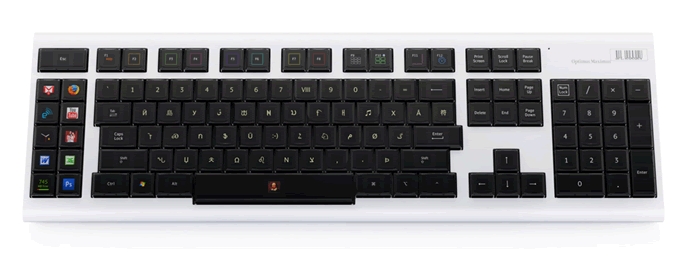
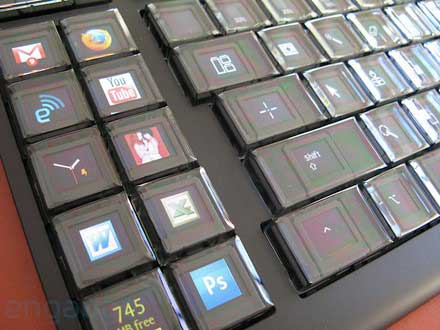
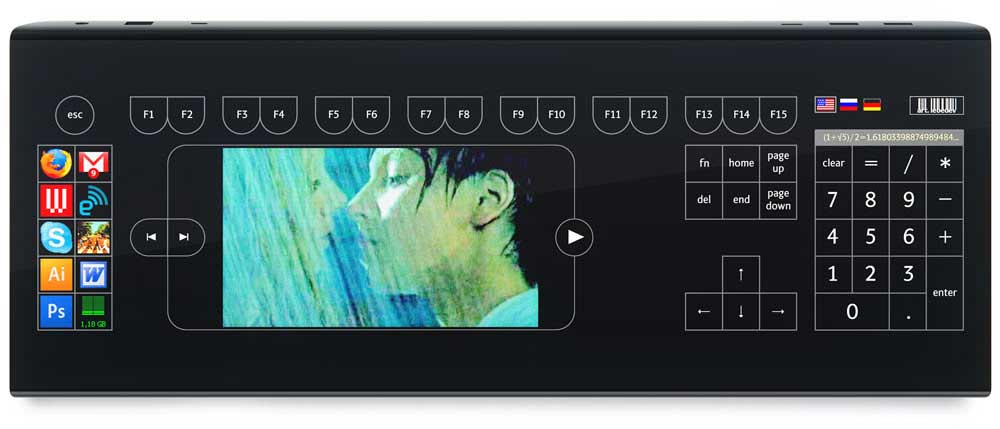
You’re not just paying for instant geek credibility (although that comes standard), but near-limitless customization. Each of the keyboard’s 113 keys is a tiny, programmable OLED display.
The potential is astounding. Keys could be programmed to display different alphabets, special symbols, macros, or shortcuts to various programs. It is, as the studio says, “a million keyboards in one.” We’d add — one keyboard in a million.
Cost: Approximately $2,400

5. Apple Wireless Keyboard by ColorWare


Apple’s Wireless Keyboard is beautifully slimline — a real study in minimalist design, with its low-profile anodized aluminum case and compact footprint (it’s around a quarter smaller than standard keyboards).
However, as much as we like the actual design, that “aluminum-and-white” look is getting a little old. The perfect solution then, is to take an Apple wireless keyboard and give it the ColorWare treatment.
The custom specialists will coat your keyboard in one of many cool hues and even color in the text in a contrasting color. As the perfect way to stand out from the Mac crowd, we’d struggle to imagine a classier peripheral for your Apple machine.
Cost: : $119 to send in your own keyboard, $199 for the keyboard and the customization.

BONUS: Keyboard Stickers!


If you’re using a laptop and feeling a little sore about your lack of designer keyboard options, fear not! You can transform your laptop with some funky keyboard stickers. There are tons of designs to be found on the likes of Etsy and ArtFire. Our current fave is the LEGO-esque design shown above — bumpy brick looks without the texture!
Source: Mashable

More Tech Resources from GETbyU:

24 February, 2012

15 Super Cool Keyboards You Have Never Seen

15 Super Cool Keyboards You Have Never Seen
Keyboards are an essential part of our computers. We use computer keyboards mostly to type. However in recent times we have seen a diversification in the use and design of keyboards. They are no longer used to type only text anymore, but are now used to do lot more tasks. Playing Games, Controlling Media Players and launching applications are some of them.
To meet these user requirements, keyboards are no longer confined to having only alphabetical keys and numbers. They now come with Media Controlling Keys, Special Keys for Playing games, Shortcut Keys to launch applications and some have even taken a step ahead and come with touch screen instead of the traditional buttons.
We don’t usually get to see these types of keyboards in homes and offices. Let us take a look at some of these unusual but cool Computer Keyboards that make the use of Keyboards easier and much more sophisticated.

1.Optimus Maximus

optimus_maximus
Optimus Maximus is a fully customizable keyboard that lets you choose the sequence of the characters on the keyboard. Each key of the Optimus Maximus is a stand-alone display that shows the function currently assigned to it.
You can make use of any language like Cyrillic languages, Ancient Greek, Arabic etc. Apart from that you can use any other character sets:  notes, numerals, special symbols, HTML codes, math functions etc. The possibilities are infinity.
You can also assign shortcuts of websites you different keys and add an image to easily find the shortcut later. The Optimus Maximus Keyboard has a total of 113 Screens each with a resolution of 48 x 48 Pixels.
optimus-maximus

2. Logitech diNovo Edge

logitech_dinovo_edge
The Logitech diNovo Edge Keyboard is one of the most stylish Keyboards you will find in the market. The diNovo Edge has been Laser cut from a single, semi-translucent piece of black Plexiglas and set into a brushed-aluminum frame.
The TouchDis navigation makes it possible to move the cursor by Moving a finger up and down or across the disc.  A touch-sensitive volume slider will enable you to quickly adjust the computer’s volume. For the fluid and natural Keystrokes,
The PerfectStroke™ key system has been used. No matter how fast and hard you type, it will  neither make any sound nor will it hurt your fingers. The Logitech diNovo is rechargeable and a two-hour charge yields up to two months of battery life.
logitech_dinovo_edge_slim

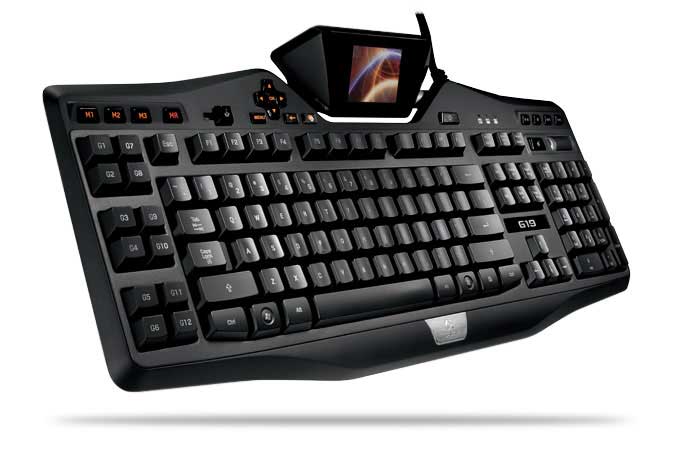
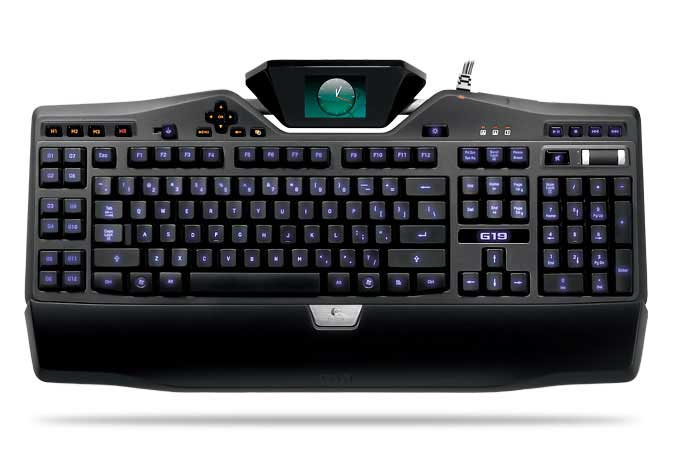
3. Logitech G19 Gaming Keyboard

Logitech G19 Keyboard for Gaming
The Logitech G19 Keyboard is the most sophusticated gaming keyboard. The Logitech G19 Gaming Keyboard is powered by Two Hi-Speed USB 2.0 ports which makes Transfer of data to and from peripherals faster. The Multi-Key input make it possible to use up to five keys at once to perform multiple complex actions while gaming.
The G19 Keyboard has Tilt-able, 320 x 240px, color GamePanel LCD which shows “unprecedented levels of information—both in- and out-of-game—including game stats, system information, VOIP communication data, video playback, image slideshows, and many other items”.
User-selectable back-lit characters make it possible to easily locate keys while playing in dark and Personalize the keyboard to better fit with the rest of your computer and gaming equipment.
Logitech G19 Gaming Keyboard

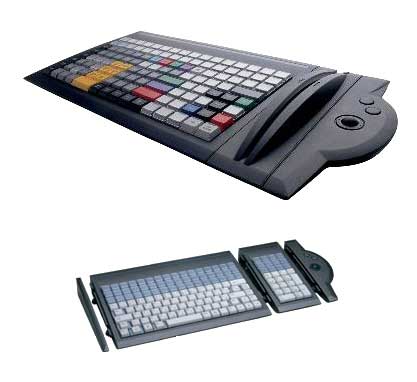
4. Tipro Custom Assembled Keyboard

tipro_custom_assembled_keyboards
Tipro Custom keyboard is a highly flexible and fully customizable keyboard with a Rugged plastic housing. The keyboard has User definable input data control which makes it a best solution for a user’s particular needs. The Tipro has Optional pointing, reading and control modules.
Superior mechanical long travel key switches and metal carrying plate and secure cabling make it rugged and highly reliable. The Tipro Custom Keyboard is Assembled byUnique Micro Designs and comes with a 12 Months Return to Base Warranty.

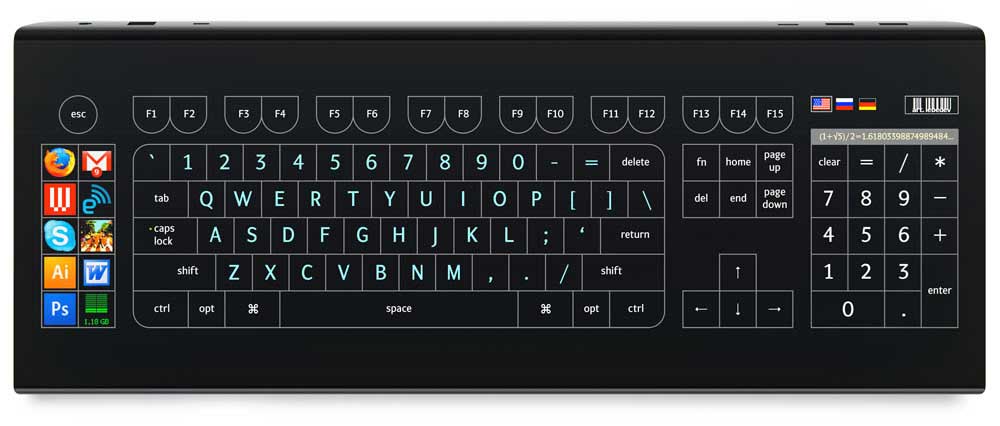
5. Optimus Tactus

optimus_tactus_keyboard
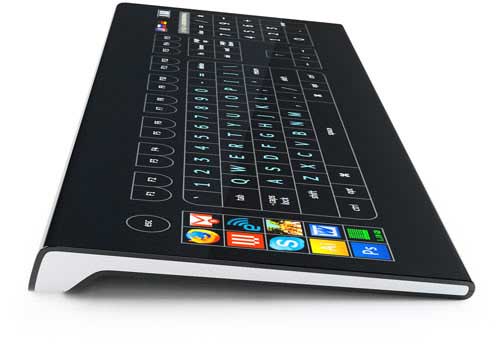
Optimus Tactus does not have any physical keys. Lack of any physical keys means that there are no restrictions on their shape and size of the keys. You can keep a single key on the keyboard or Display all of them on the Touch screen.
The keys can be set in any language. It is just a big Touch Screen Display which can be programmed to display any key or image. It can be programmed to display videos too. There are no limits to what you can do with the Optimus Maximus Keyboard. It is a concept for now but we are sure we will get to see this keyboard in markets soon.
optimus_tactus_video
optimus_tactus_keyboard_side

6. Luxeed LED Keyboard

luxeed__led_keyboard
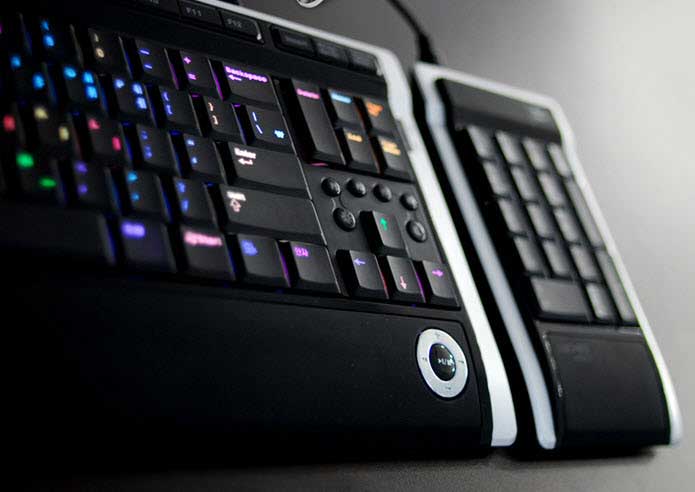
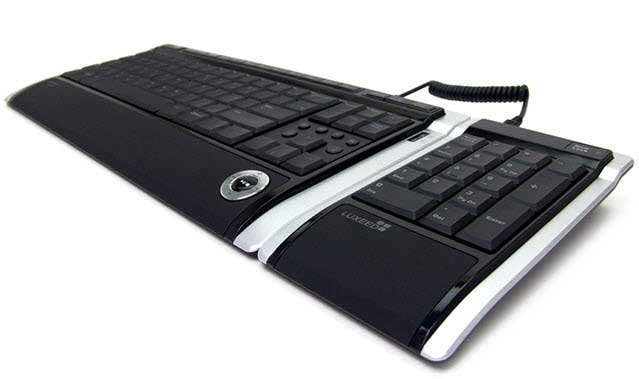
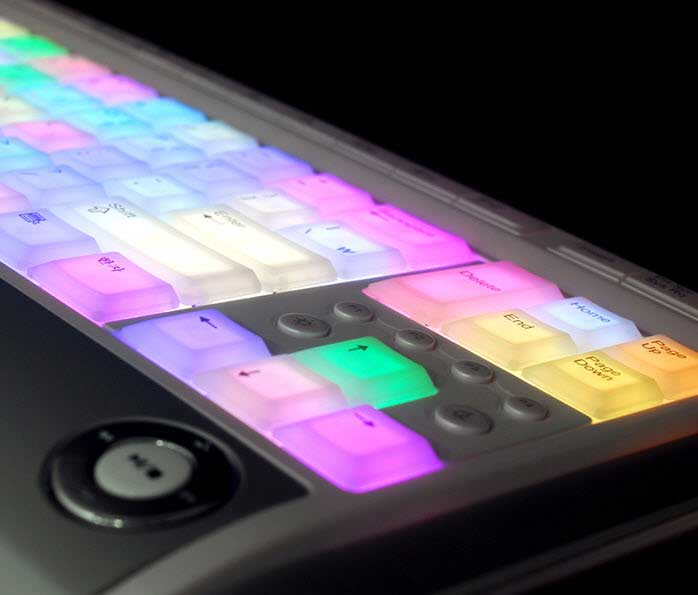
Luxeed Computer keyboard incorporates the LEDs in its construction making it one of the most colorful Keyboards around. When it is not connected to the computer, it may look like just a regular keyboard but when you connect it to the Computer, it displays colorful lights making it a unique Keyboard.
Luxeed LED Keyboard contains a total of 430 LEDs and each can be assigned different color by its user.
luxeed_keyboard_led
It has a detachable Numeric Pad to save up on space when you don’t need the Num-Pad.
luxeed_keyboard_with_430_leds

7. Handwriting Recognition Keyboard

Handwriting Recognition Cool Keyboard
This full-size USB keyboard with handwriting recognition has a Fashionable super thin design. The keyboard has a very sensitive handwriting recognition system and is very useful for digitizing your handwriting. The writing pad of this A1Pro keyboard doubles as a mouse.

8. Amex Digital Touch-Screen Wireless Keyboard

amex_digital_wireless_keyboard
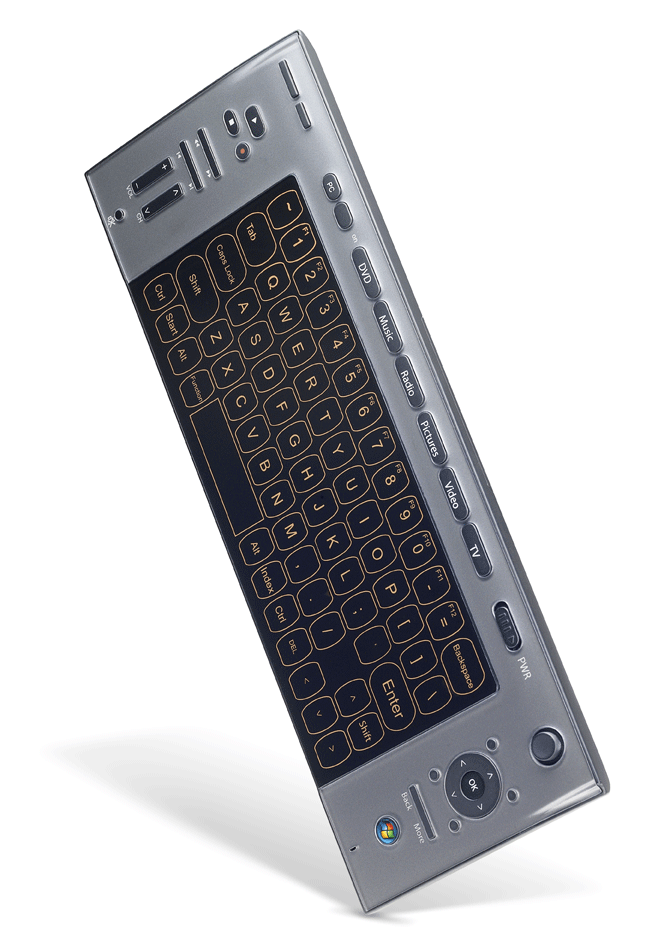
Claiming to be the world’s most advanced Touch Sense Windows Vista keyboard, Amex Digital Touch screen Keyboard is an ideal partner for any high-end computer.
The ultra-slim AMEX Touch Screen keyboard delivers the ultimate feel and response. 2.4G RF wireless technology lets you go wire free and use the Wireless Keyboard within a range of 30 feet. It has got a One touch access to Windows Media Center and Multimedia Keys for easy Media Navigation.

9. Wolf King Warrior XXtreme

Wolf King Warrior XXTREME
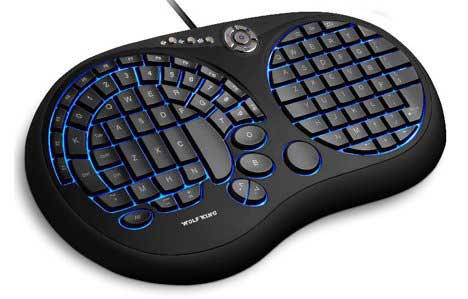
Wolf King Warrior XXtreme USB Gaming Keyboard is a very unique keyboard. It has an innovative design and amazing functionality. It has a lighted keypad option which enables you to game even in dark.
The Warrior XXtreme enables the user to type with just one hand and the new audio controls and “K Lock” feature allow for constant communication. All the important control keys for FPS and RPG Games are accessible with minimal changing of hand position. The XXtreme Gaming keyboard has got flexible 3-layer silicon membrane for extremely quiet use.

10. orbiTouch Keyless Ergonomic Keyboard

orbi_touch_keyboard
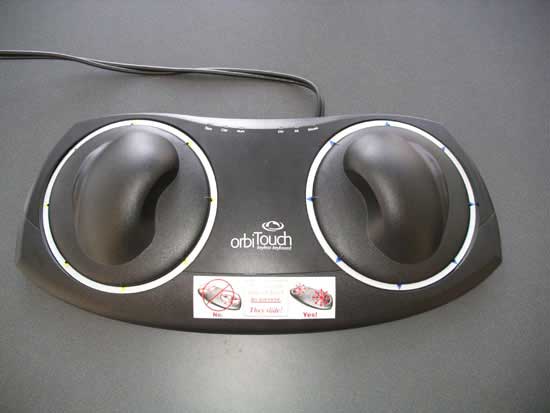
orbiTouch is a key-less ergonomic keyboard solution that removes the barrier posed by the traditional keyboard/mouse combination. The orbitouch creates a keystroke when you slide the two domes into one of their eight respective positions.
A user types the different characters by sliding the domes to create letters and numbers. The orbiTouch Key-less Keyboard has an integrated mouse. orbiTouch Keyless ergonomic Keyboard comes with a typing tutor program and on-screen help so that you may get used to the new typing process. (Product Page)

11. Virtual Laser Keyboard

laser_keyboard
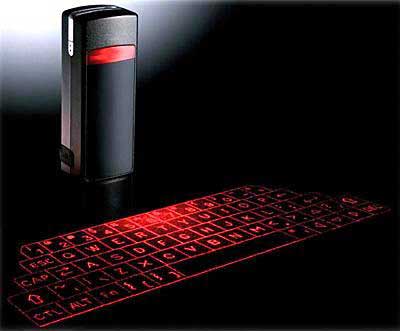
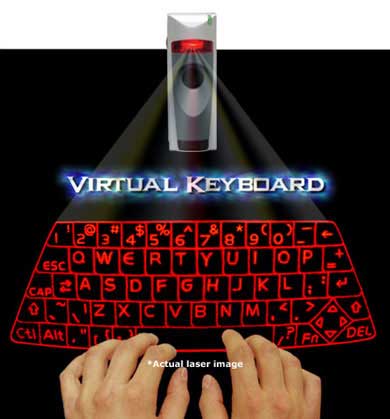
The Virtual Laser Keyboard (VKB) is a revolutionary accessory for all the portable gadgets like Blackberry, Smartphone, PDA, Mac & Tablet PC but can be connected to a computer too using a USB dongle.
The Virtual Keyboard comes with an elegant leather jacket and you can take it with you in your pocket. It is of the size of a Zipo lighter and operates in total darkness. It uses a laser beam to generate a full-size perfectly operating laser keyboard.
laser_keyboard_virtual

12. The Ergo Keyboard from Nicolas Tavlas

ergo_keyboard
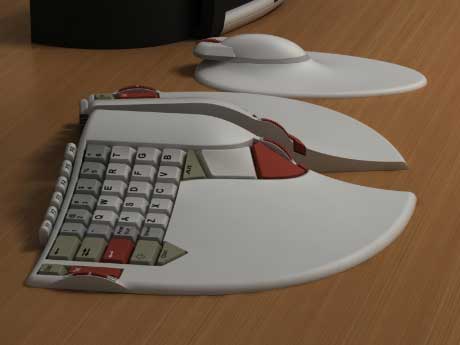
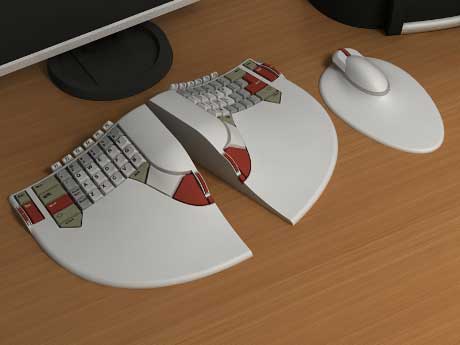
The Ergo Keyboard from Nicolas Tavlas is a user-friendly Computer keyboard built keeping Ergonomics in mind. While typing, the user’s hand is kept in the most neutral position possible while maintaining a familiar layout, and the keys are inclined sideways by 25 degrees, reducing the twisting of the wrist but maintaining the letters legibly.
As we keep the right hand moving between the mouse and keyboard and the left hand sits idle most of the time, so several frequently used keys have been moved to the left of the Ergo keyboard.
ergonomic_keyboard

13. Ergonomic Steampunk Keyboard

ergonomic_steampunk
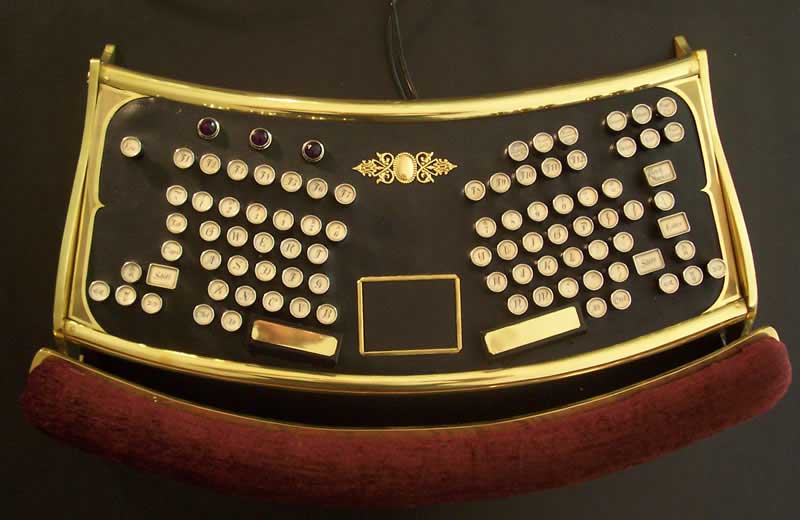
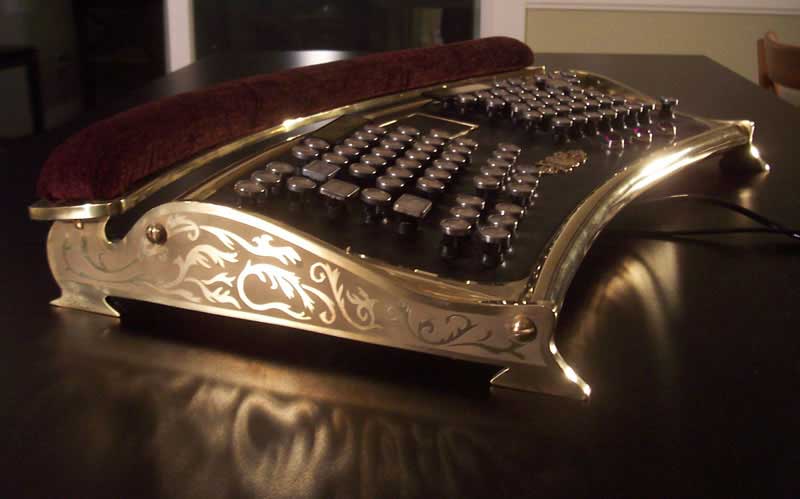
This Ergonomic Steampunk Keyboard is actually a very rare IBM Model M-15 split ergonomic keyboard transformed into this Steampunk design by datamancer. It also has a built-in “button less” touchpad mouse in the center. The typing plane is tipped forward rather than back and looks odd at first but makes for a perfect typing position.
ergonomic_steampunk_keyboard
Also check my other post about cool computer keyboard for geeks on Walyou. If you know of any other cool keyboards, do let us know in the comments section below.

Ayeza Khan Photoshoot 2020, Ayeza Khan Photos, Ayeza Khan 2020 New

Ayeza Khan Hot Photoshoot Ayeza Khan Hot Photoshoot, Ayeza Khan, Ayeza Khan Photos